Different department has different policies. In this section, it shows how to create groups and configure it.
Take Note: Adding groups can only be done in Desktop Console
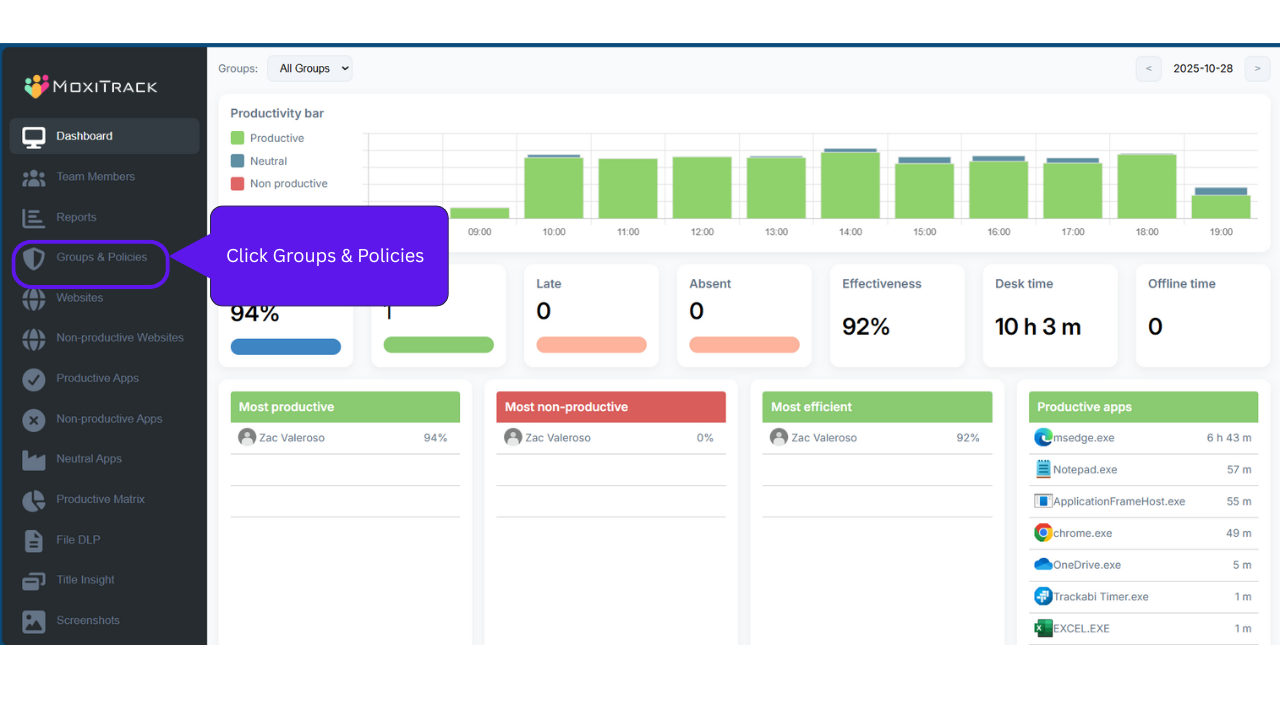
Step 1: Click Groups & Policies
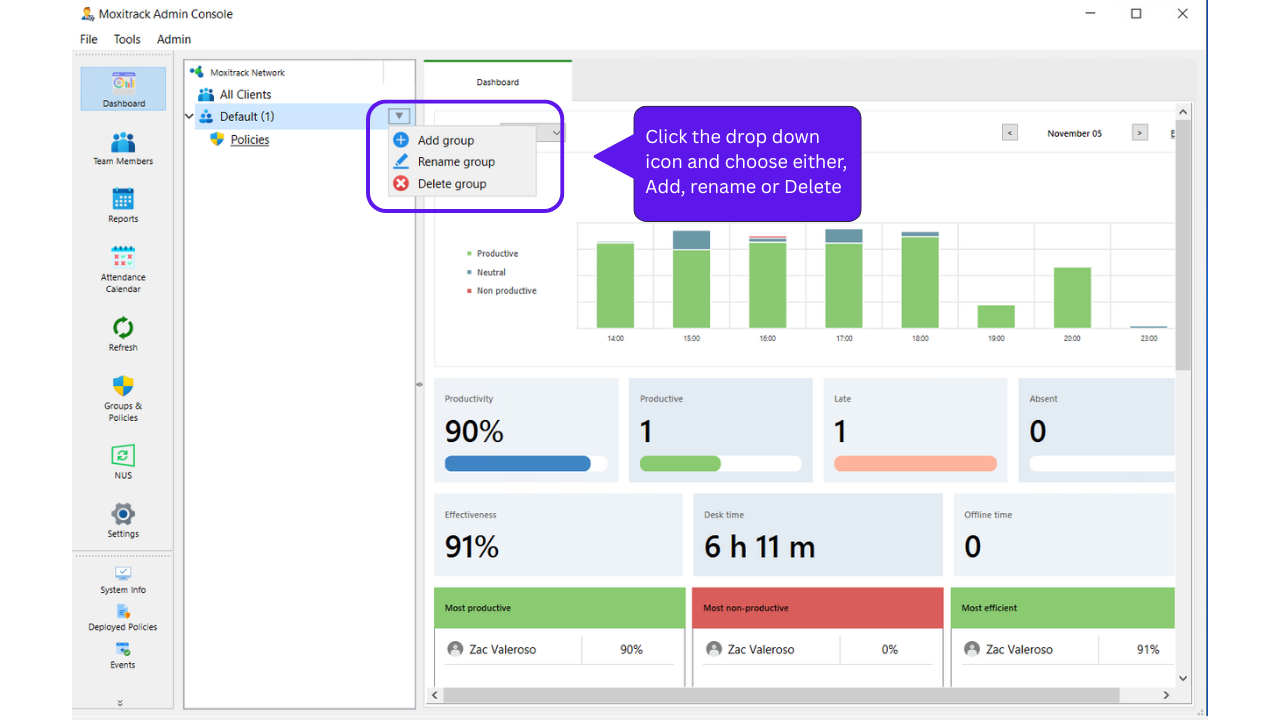
Step 2: Click dropdown arrow and choose “Add Group”
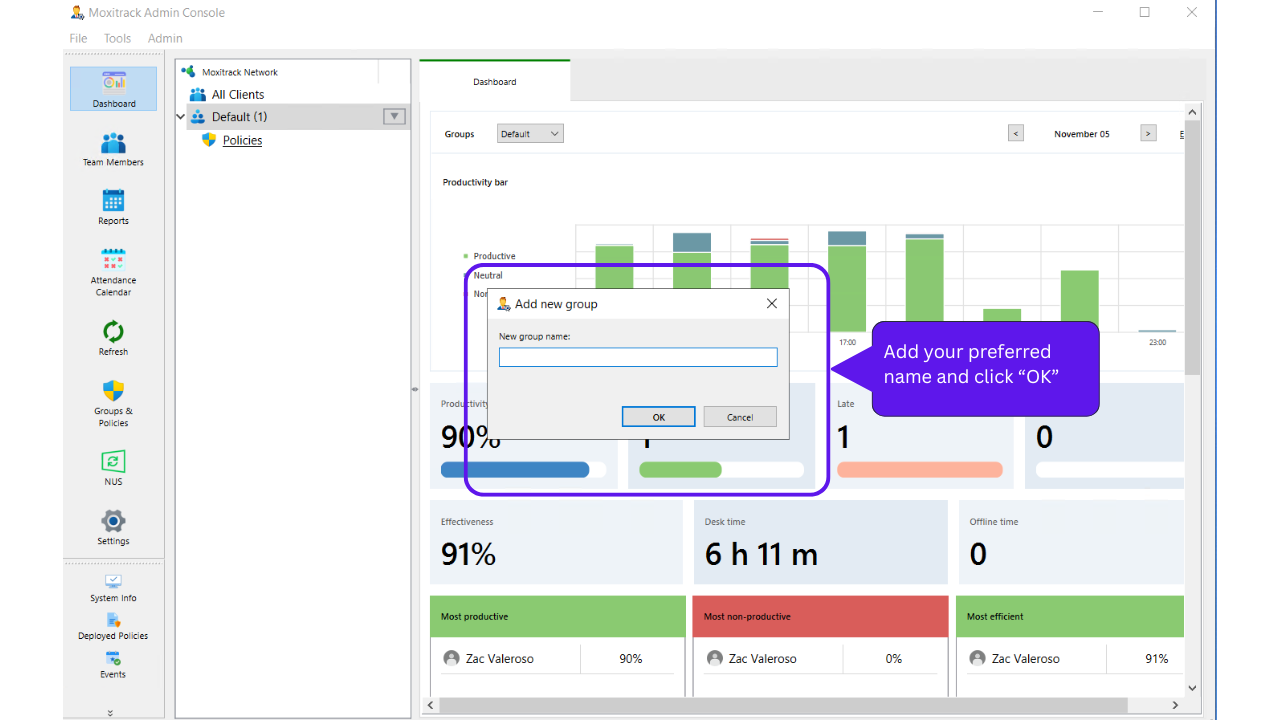
Step 3: Add the Group Name
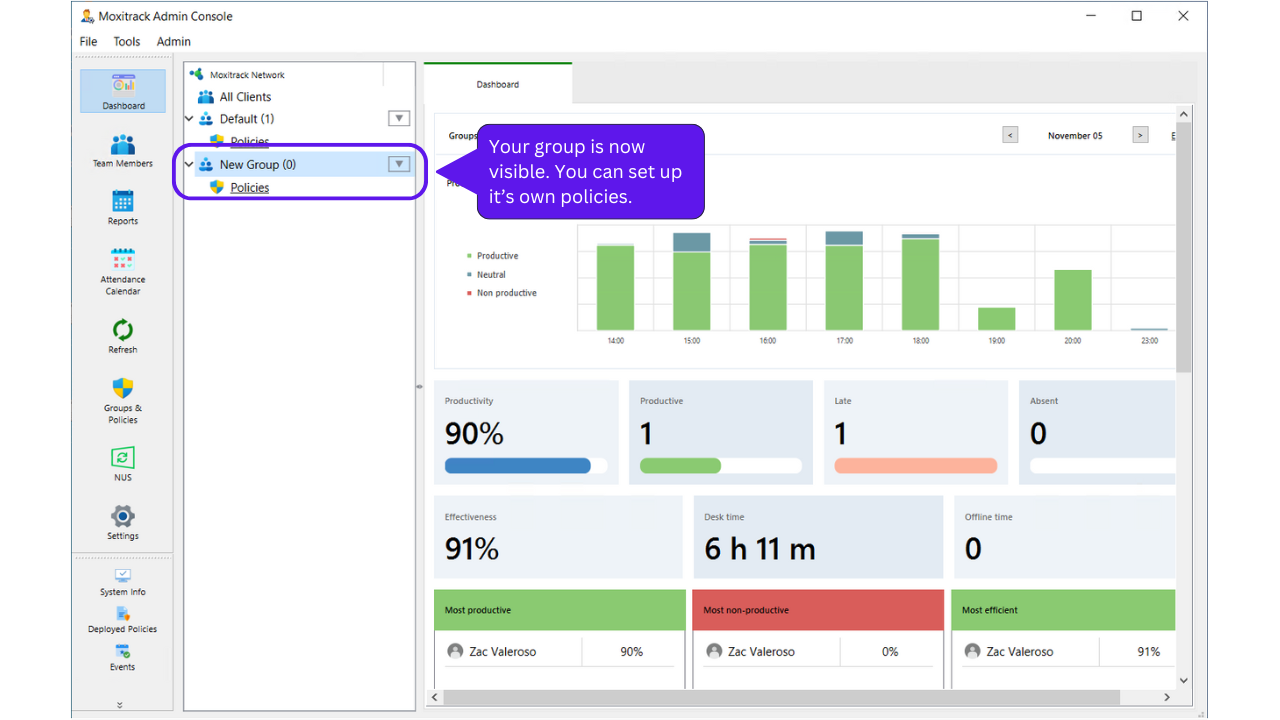
Now you can see that the new group is added and you can now configure the policies.
To learn more about Policies - Click here