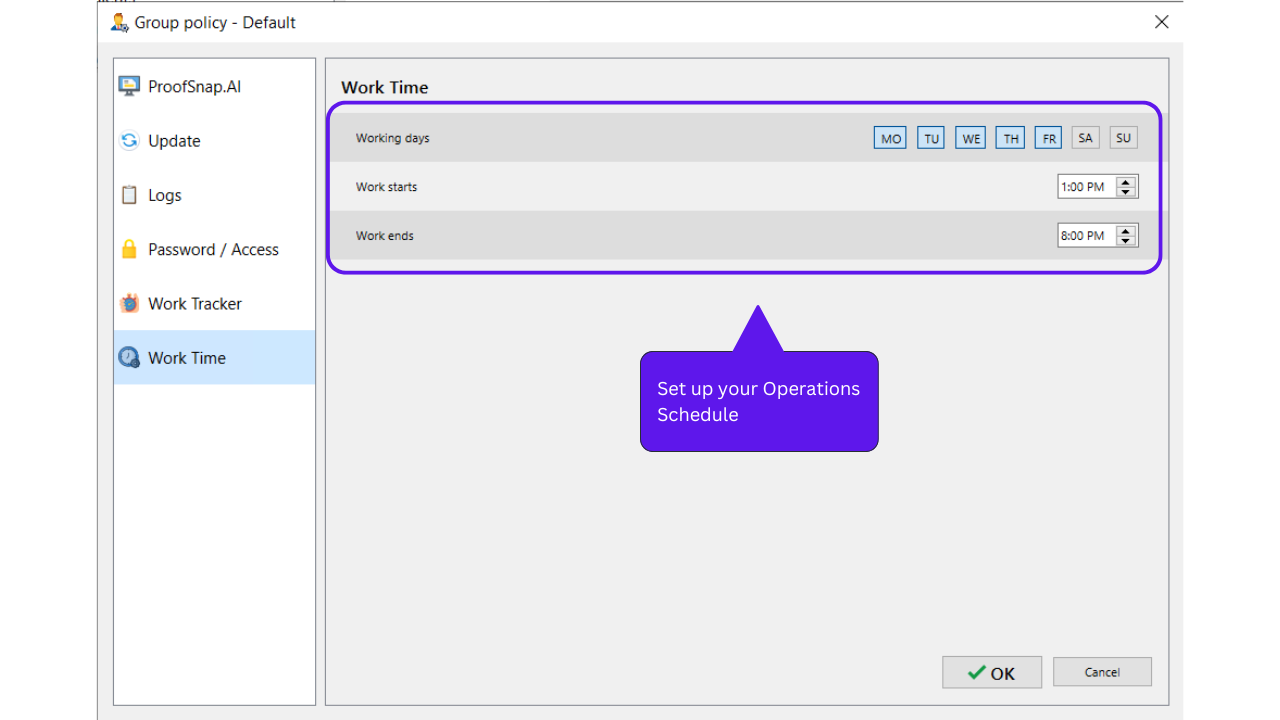
Moxitrack got it’s own Attendance recorder system. Whenever an agent logged in the system will auto record the time.
To get started with schedule set up here’s a step by step by guide for you.
Web Console View:
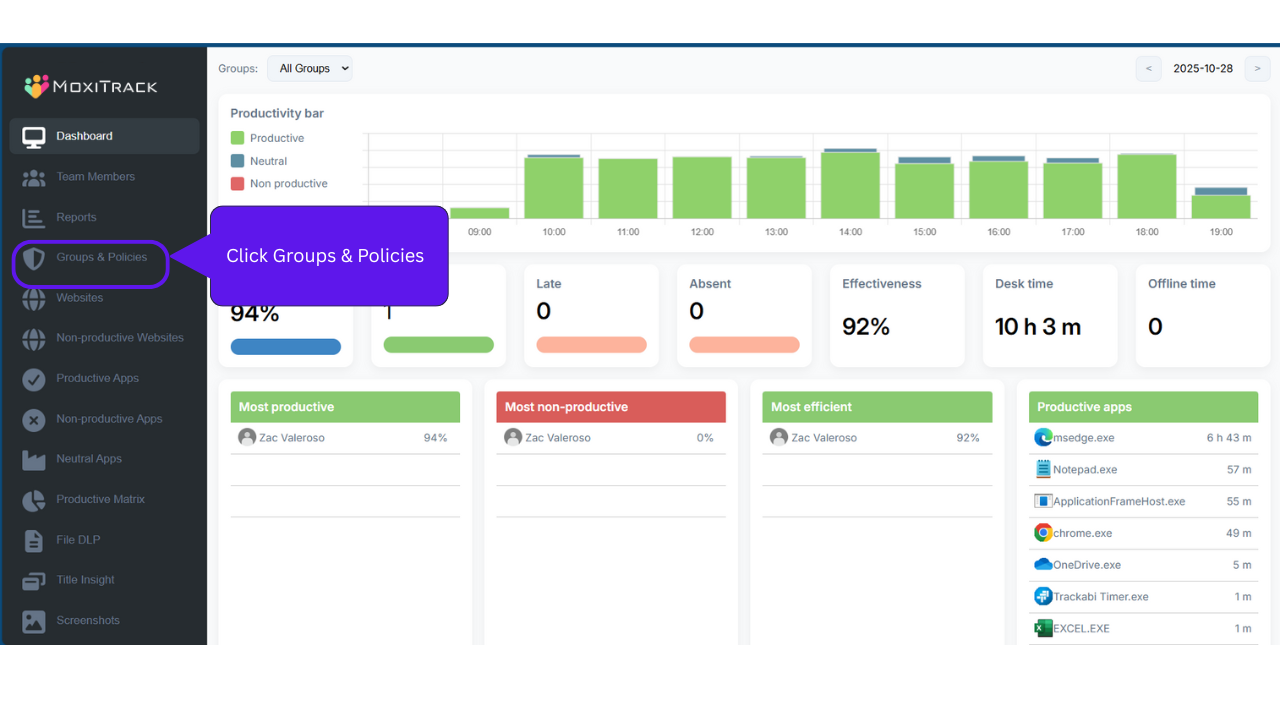
Step 1: Groups & Policies
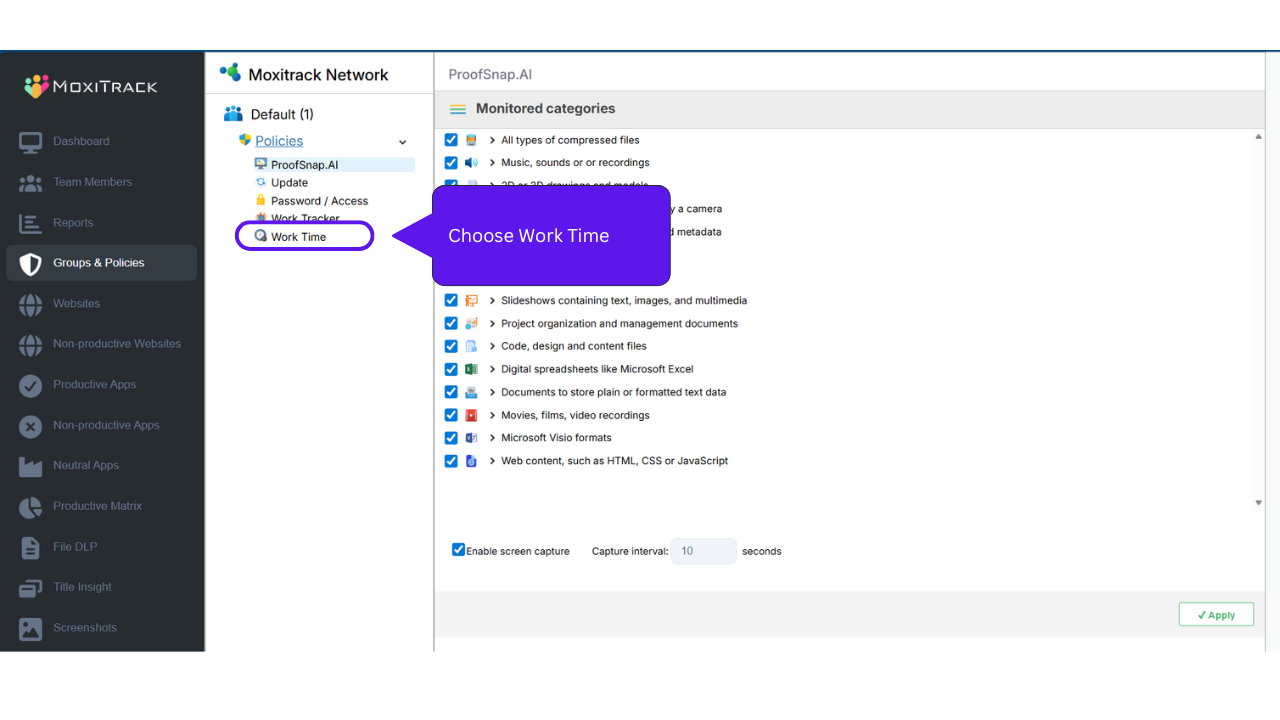
Step 2: Choose Work Time
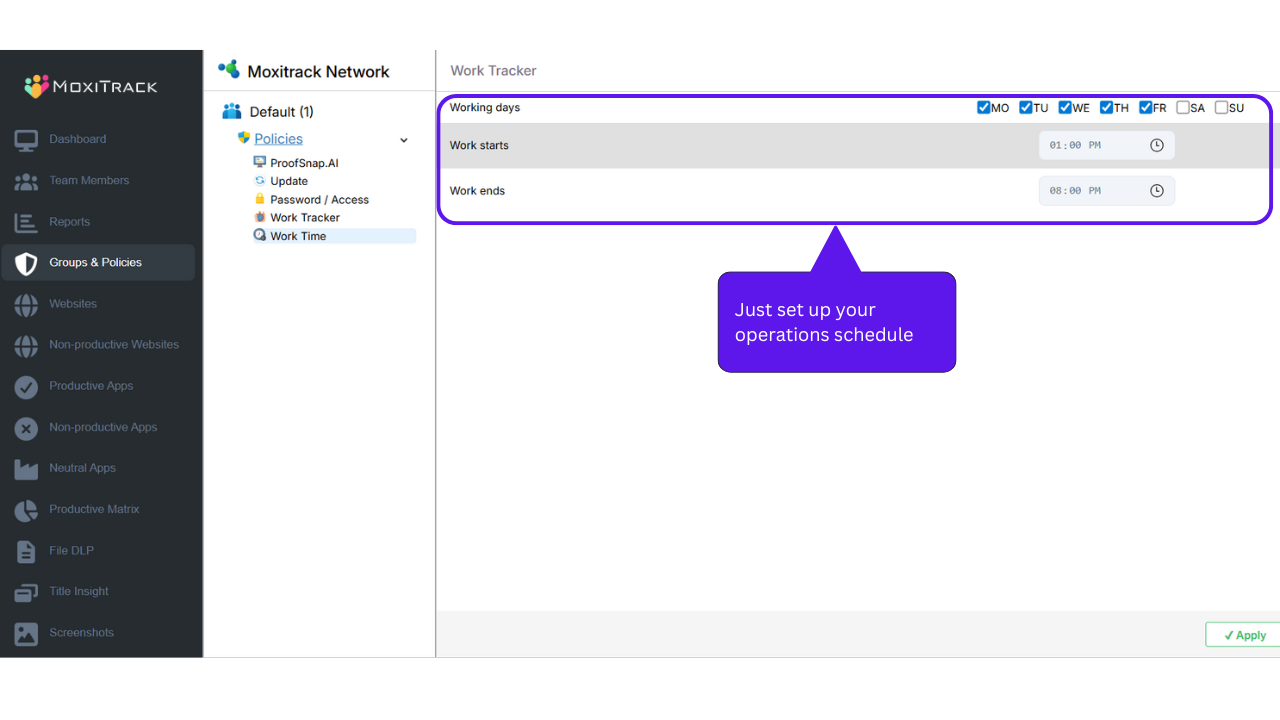
Step 3: Set up Operations Schedule
Desktop Console View:
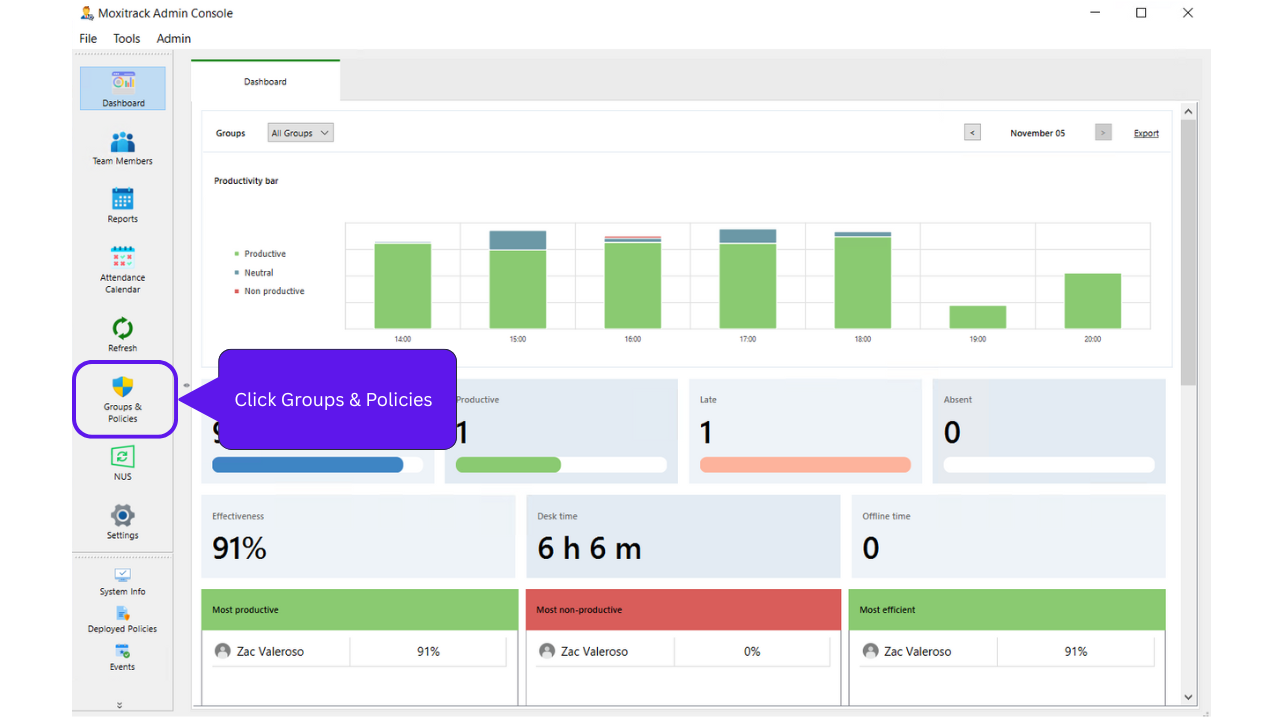
Step 1: Groups & Policies
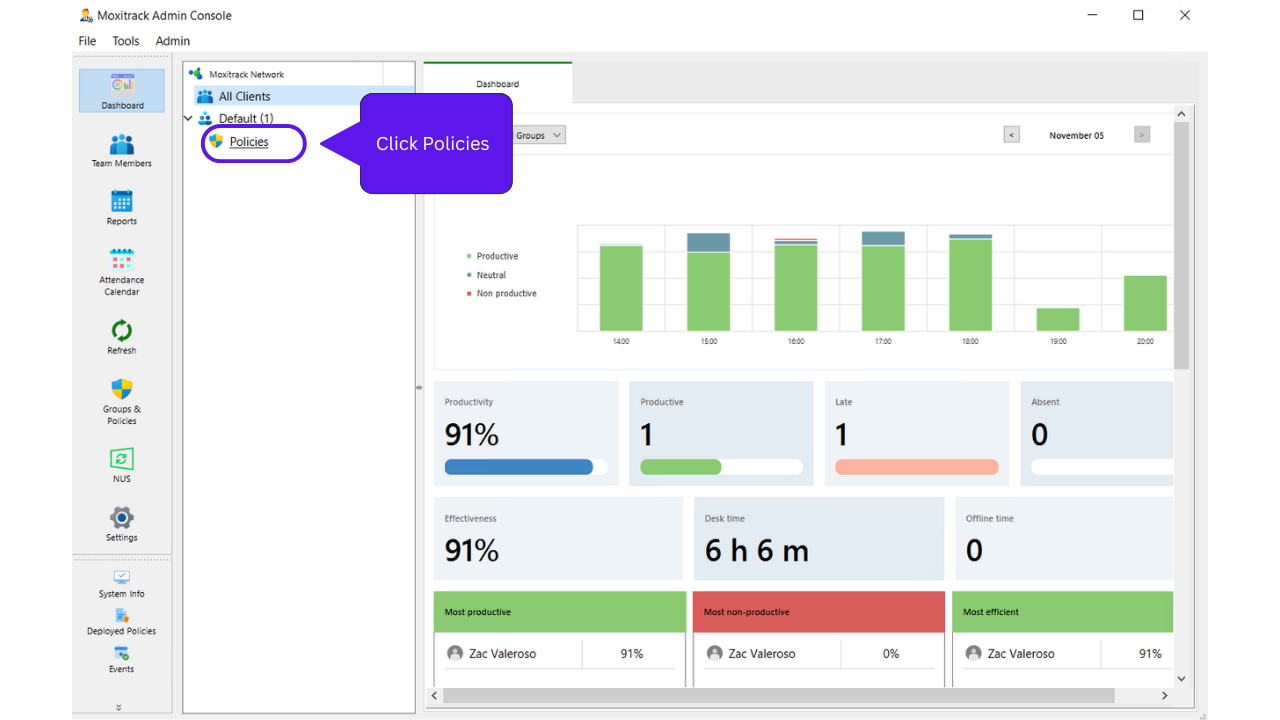
Step 2: Choose the department and Click “Policies”
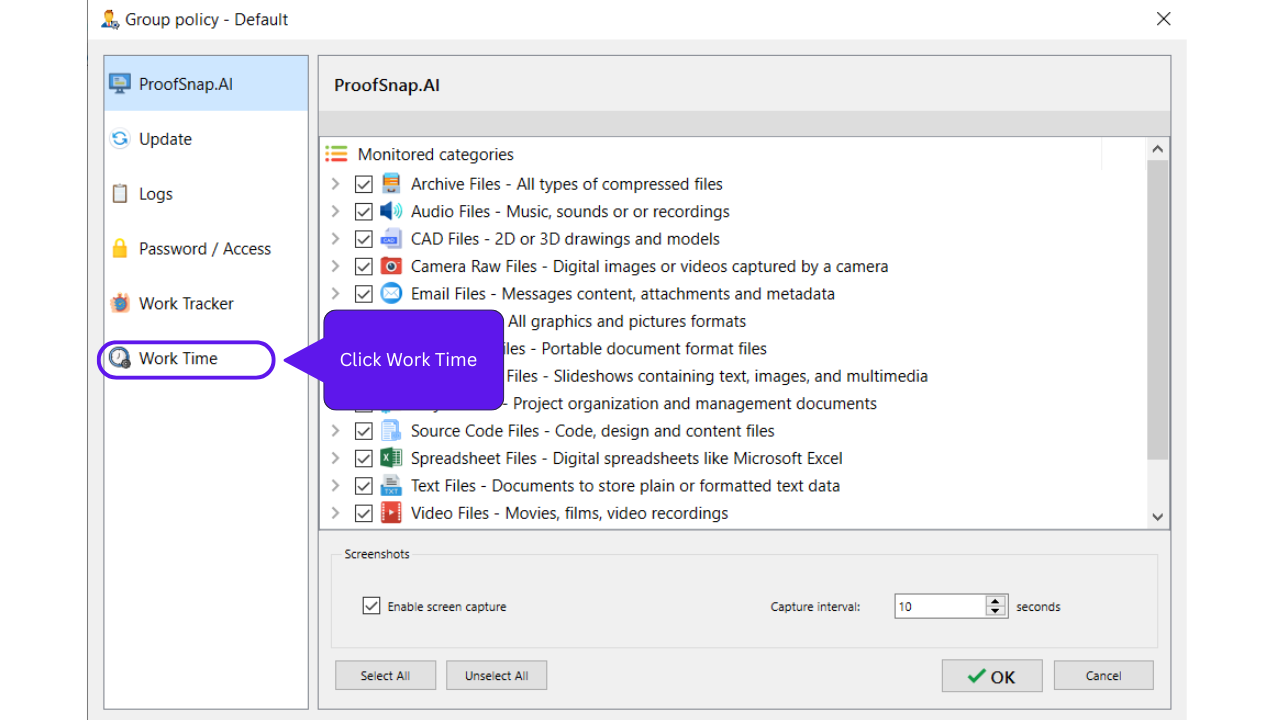
Step 3: Select “Work Time”
Step 4: Set up Operations Schedule