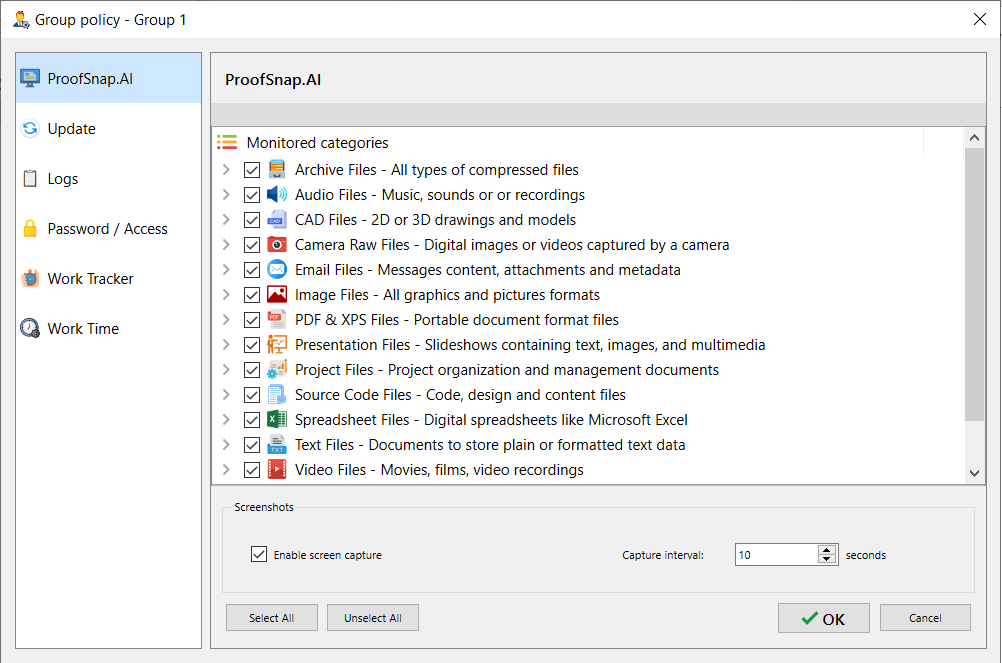
The screen capture tool has evolved with the help of ProofSnap.ai technology. Its purpose is to capture all websites and applications that are opened to enhance the security and productivity of agents.
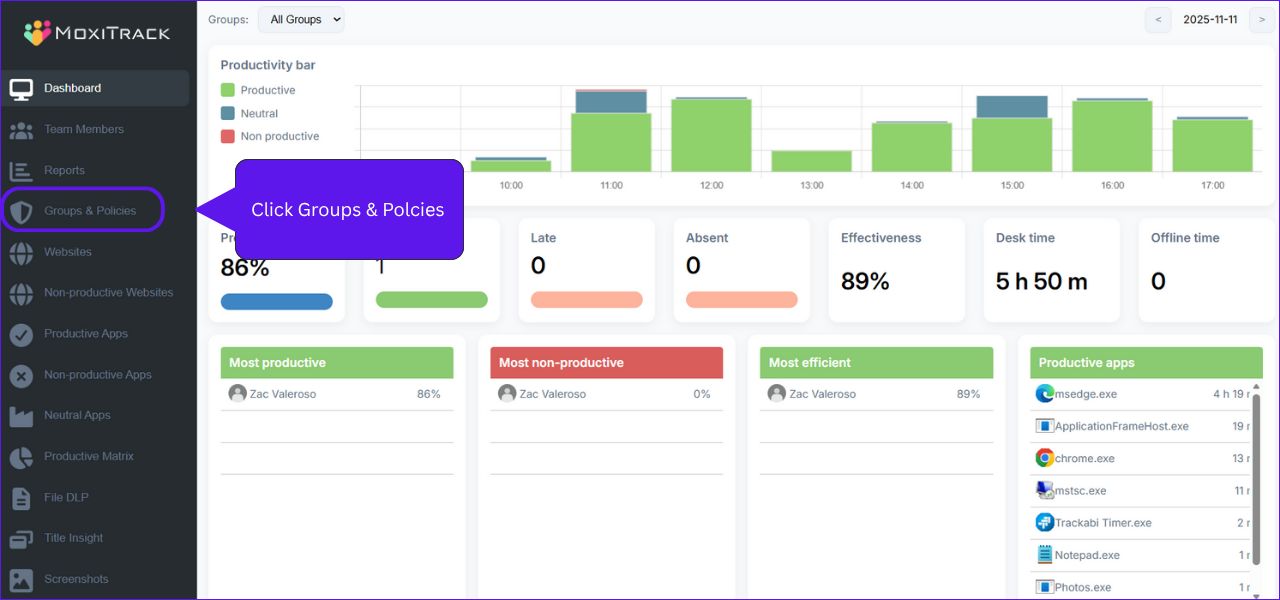
To edit the Monitored Files Screenshot in Web Console
Click “Groups & Policies”
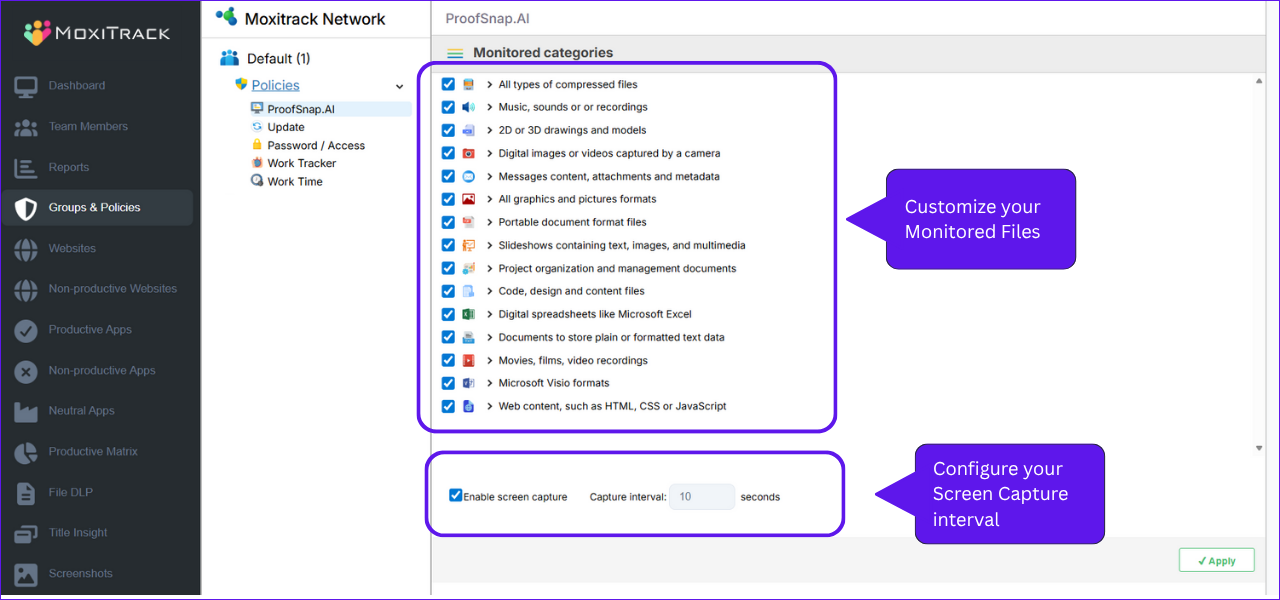
Configure the files you allow the screen capture and the interval.
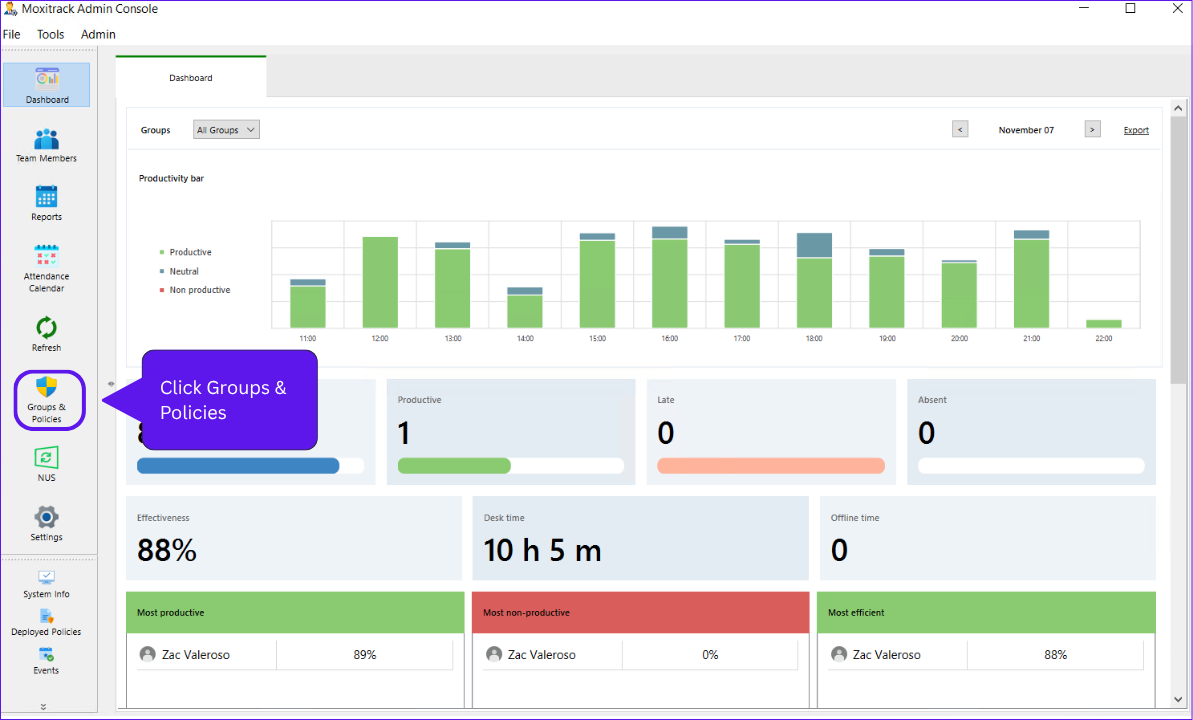
To edit the Monitored Files Screenshot in Desktop Console.
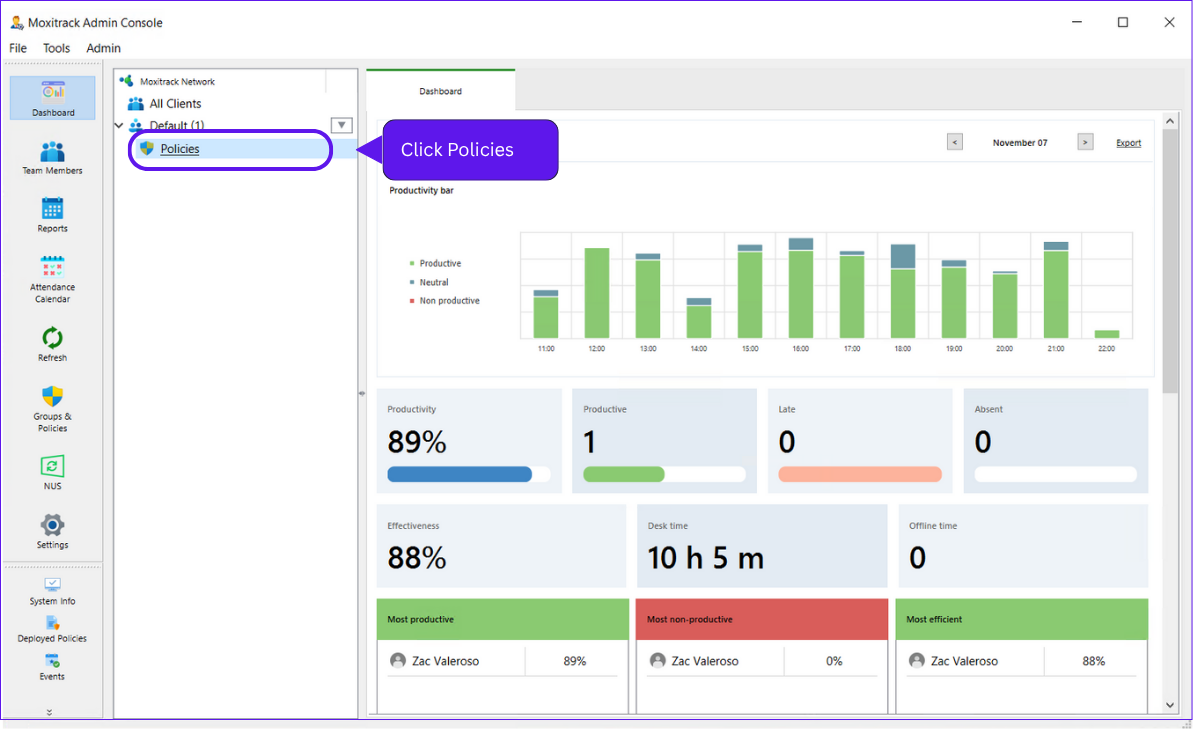
Click the Groups & Policies.
Click the Policies
Now you can customize the files if you’ll allow the auto screenshot. You can also disable, enable and set interval of the screen capture.