Updating team members' information ensures accurate communication, clear roles, effective resource management, smooth onboarding/offboarding, compliance, and better team collaboration.
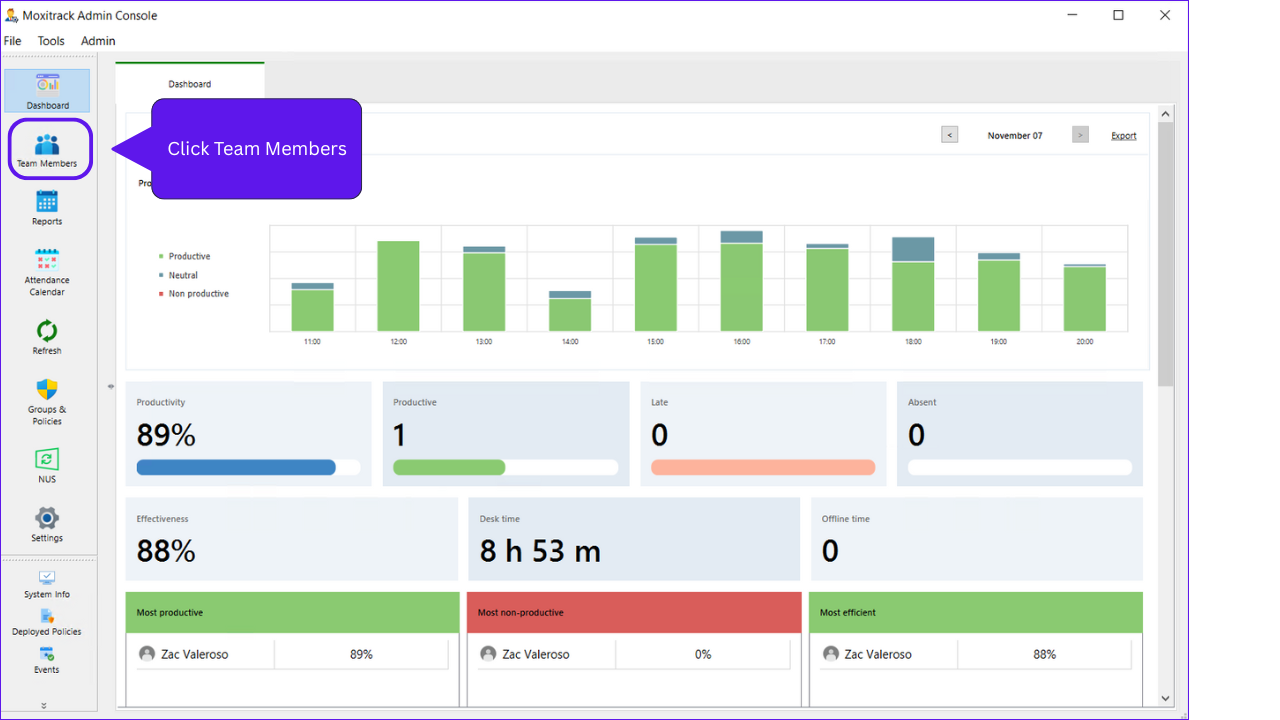
Step 1: Click Team Members
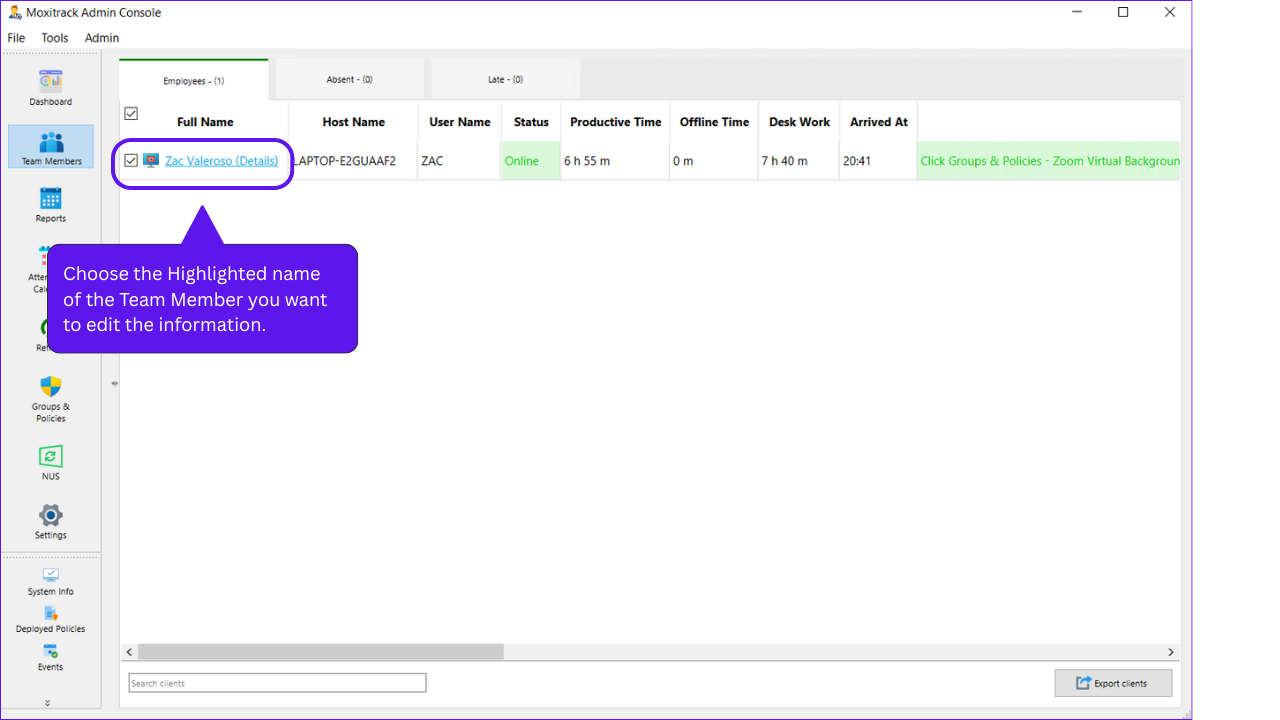
Step 2: Choose the department and name of the employee you want to edit the information.
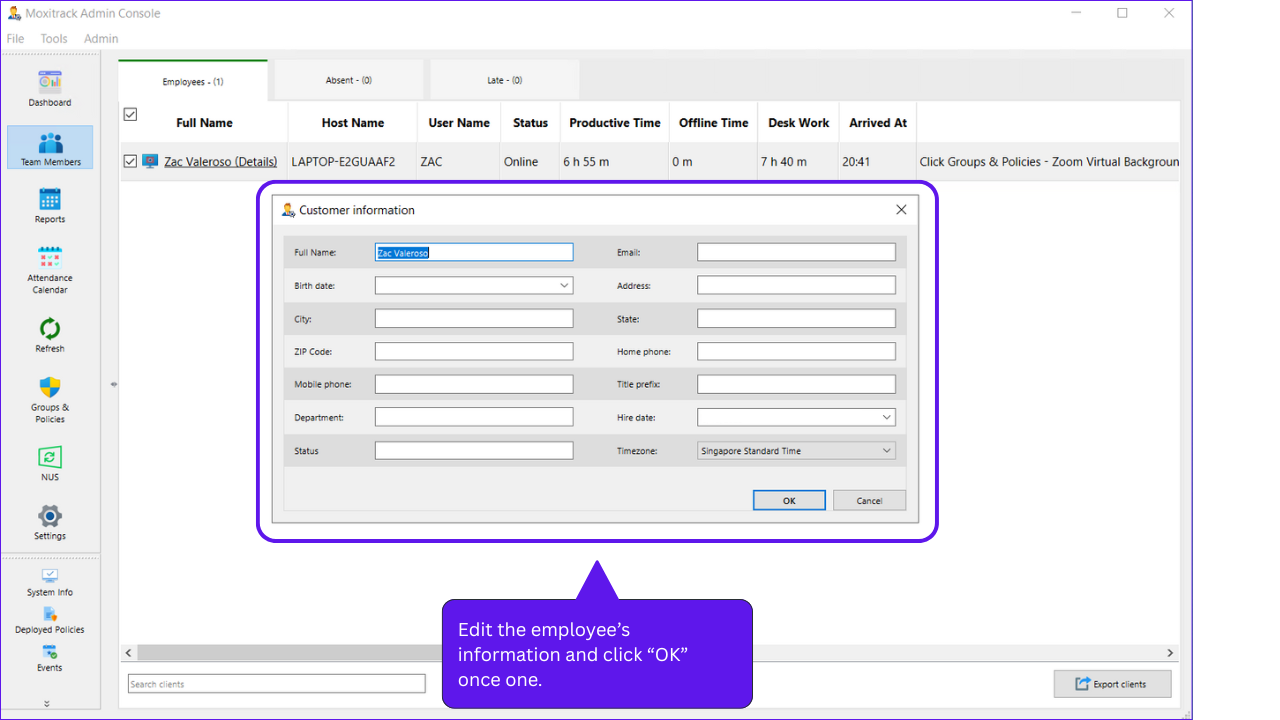
Step 3: Edit the information and click “OK” once done.